
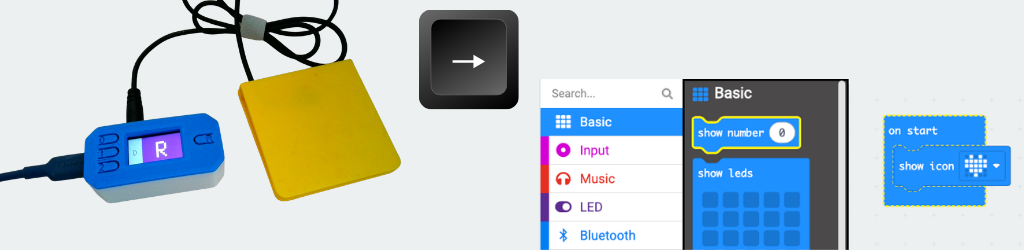
We are excited to present an open-source assistive technology project: a programmable switch interface device designed to help computer science students with motor impairments control their block based editors using one or two adaptive switches.
This project was made possible through the Blockly Accessibility Grant, which supports the development of open-source tools that make technology more accessible to people with disabilities. The grant has enabled us to design, test, and release this project freely to the assistive technology community and works in combination with the newly updated Blockly keyboard shortcuts.
What Is This Device?
The Blockly Switch Interface is a compact, portable device that allows users to cycle through a list of keyboard shortcuts using just one or two adaptive switches (like button switches, sip-puff switches, or any standard 3.5mm mono jack switch). It is build using 3D printed case, commercially available microcontroller and components. It is programmed using CircuitPython to allow access for more novice makers to complete this project and customize its settings. And because cost is often a barrier itself, the device can be build for around $35.
How It Works:
The device use’s Adafruit’s Reverse TFT Feather board which has an onboard display showing the currently active keypress. The device is connected to the computer or mobile device using a USB cable. There are 3 operational modes selected using either the onboard buttons or switch presses.
- Mode 0– Functions as a standard switch interface sending a single command with each switch press.
- Mode 1– Utilizes single automatic switch scanning. The interface scans through a list of keyboard shortcuts and a switch press sends the active command.
- Mode 2– Allows for two switch scanning. Switch one is used to navigate through the list while switch 2 sends the active command.
One Switch (Auto) Scanning
Two Switch Scanning
Key Features:
The project has a standalone website that contains:
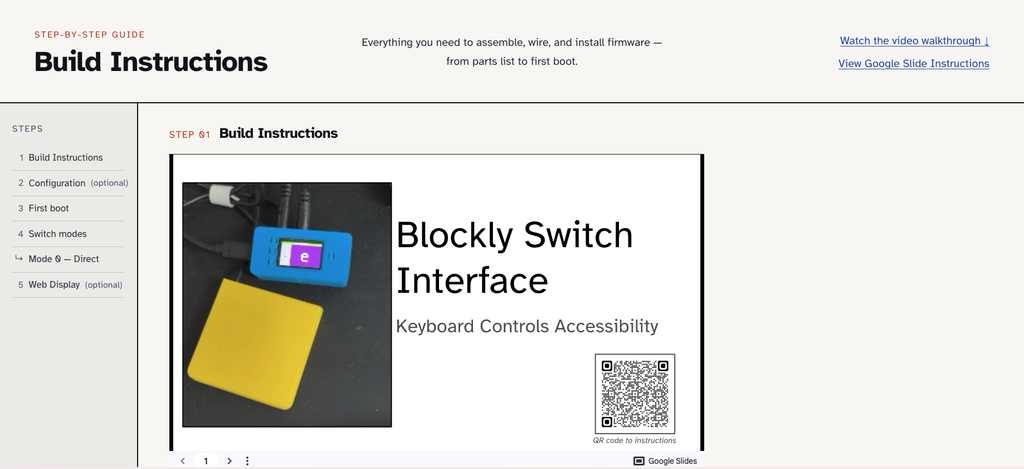
Extensive build instructions, 3D print files, BOM, and fabrication videos are available.
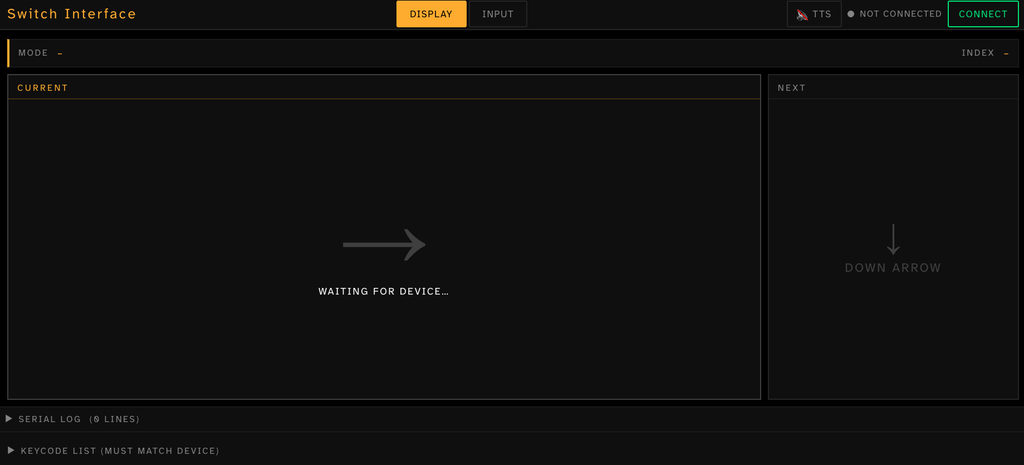
For users with low vision or difficulty accessing the onboard display, this web tool mirrors the board’s display as well as providing text to speech auditory feedback if desired.
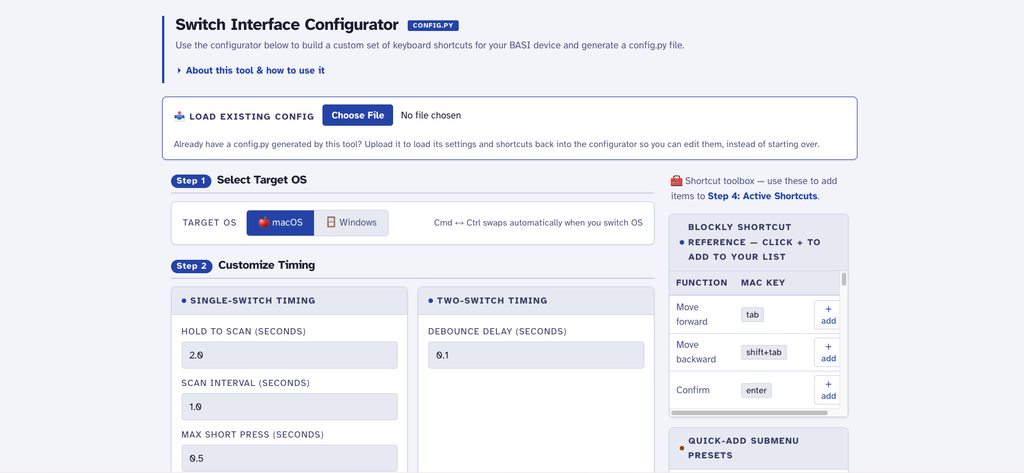
Some students may need access to more or less keyboard commands. The Configuration tools is designed to be switch accessible and allow a user to customize the list and placement of commands. A config.py file is generated with is the dragged onto the CIRCUITPY board allowing reprogramming without a coding background.
Roadmap & Updates
Thank you so much for all the volunteer makers and testers who provided such valuable feedback in improving and updating its features.
This project is maintained at this GitHub repository link and can be cloned to run offline if needed. Use the GitHub issues page to report your experience or needed modifications.
If you used this device, we would like to know what would make this device more useful? Ideas already being considered:
- Audio feedback with buzzer
- Bluetooth mode for wireless operation
- Creating a solderless version using the micro:bit controller
Important Safety Notes
⚠️ This is NOT a certified medical device. It’s an educational DIY project provided as-is, without warranty.
Key Safety Points:
- Not for life-critical applications
- Consult with AT professionals to support switch placement and implementation
- Test thoroughly before production use
❤️ This resource was made possible thanks to the Blockly Accessibility Fund.